
Employers 4 Change
.jpg)
Project Overview: Employers 4 Change helps organizations onboard into workforce-focused programs, but the existing experience created friction by forcing different user types through similar, unclear setup flows. This project focused on simplifying onboarding, establishing a scalable design system, and introducing an employer dashboard that clearly communicates progress, next steps, and key actions.
Design Challenge: The challenge was to simplify onboarding while designing scalable flows, a reusable design system, and an employer dashboard that aligned with real workflows and technical constraints.
Role: UX Researcher, UX/UI Designer
UX Research
Overview(User Research)
Employers 4 Change serves two primary user groups: employers responsible for onboarding and management, and employees completing signup and program participation. Testing and internal feedback revealed that users, experienced frustration during signup, leading to drop-off before completing required steps
- Two distinct user groups with different goals and expectations
- Both groups prioritized clarity, progress visibility, and reduced cognitive load
Design Solution
- Designed separate onboarding flows for employers and employees to reduce friction and improve task completion
- Introduced a lightweight design system to ensure consistency, scalability, and faster iteration
- Created a clear employer dashboard that surfaces progress, next steps, and key actions at a glance
Persona #1
.jpg)
Persona #2
.jpg)
Design Process
Wireframes
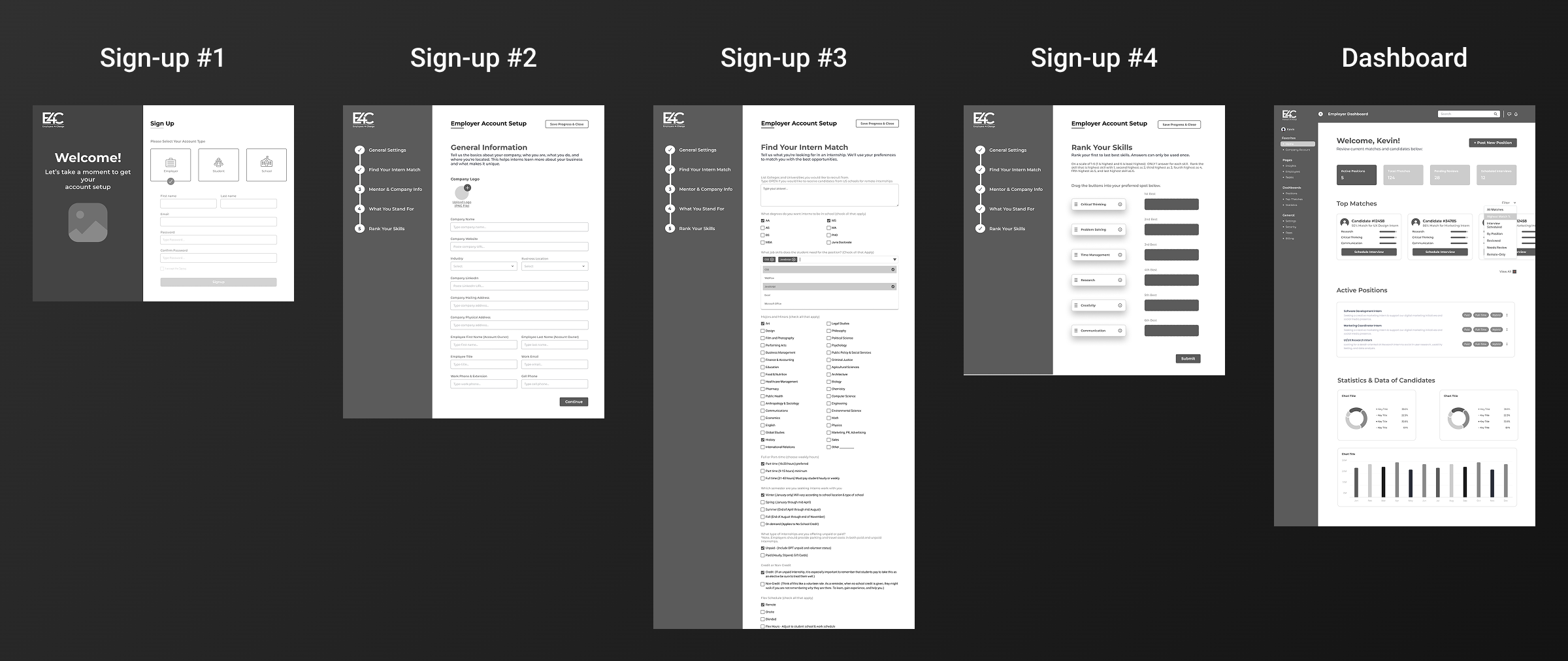
Once my research was completed, the ideas and features were presented via wireframes below:
Design System
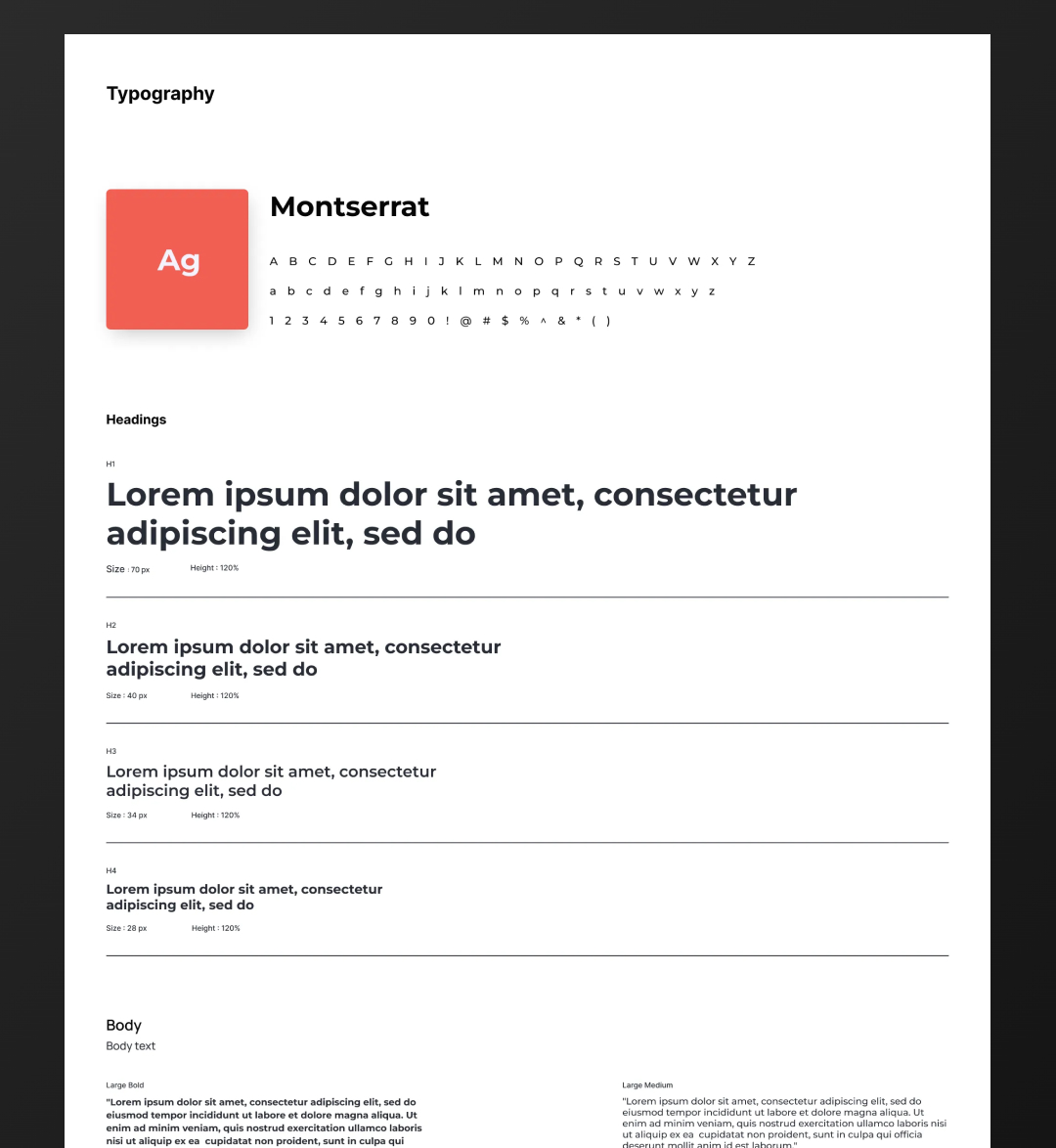
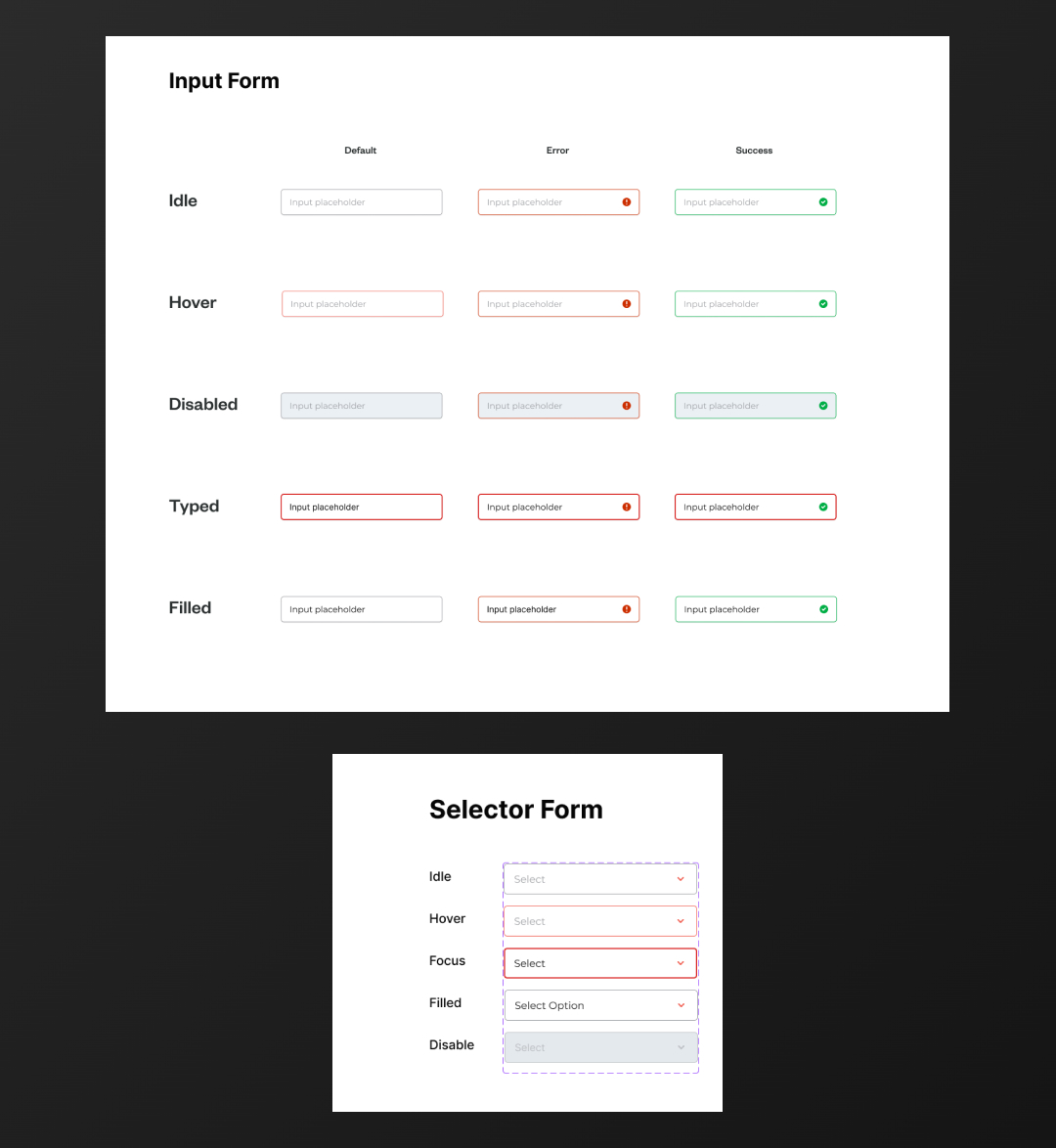
I created a lightweight design system to ensure consistency, speed up iteration, and support scalable product development.
Typography
Color Theme
.jpg)
Buttons
.jpg)
Other Components
Final Design
The final experience simplifies onboarding for both employers and employees through clear, role-specific flows and guided setup. A consistent design system and focused employer dashboard create clarity around progress, next steps, and key actions, resulting in a more intuitive, scalable product experience built for ongoing use and growth
.jpg)
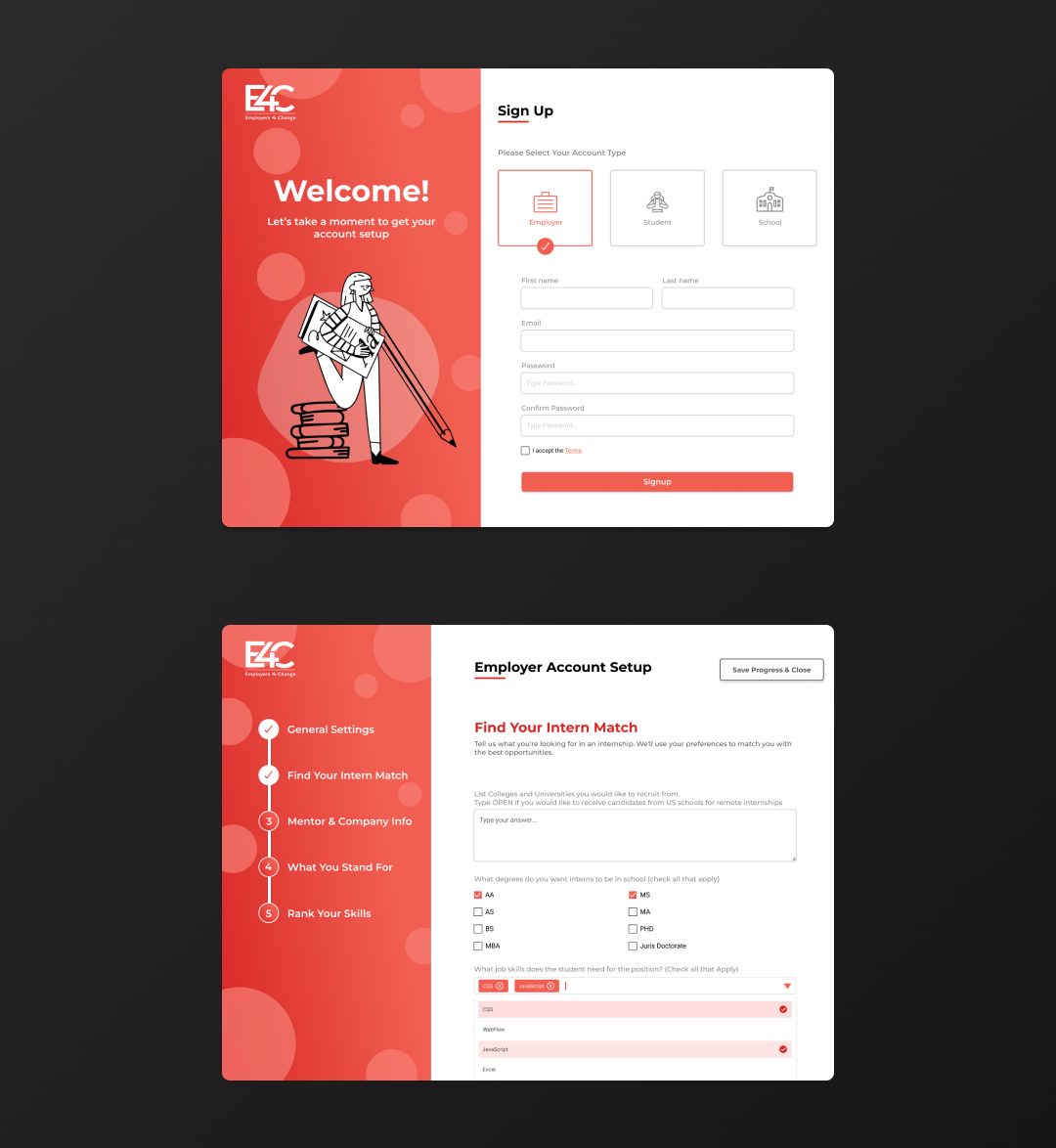
Sign-up Screens
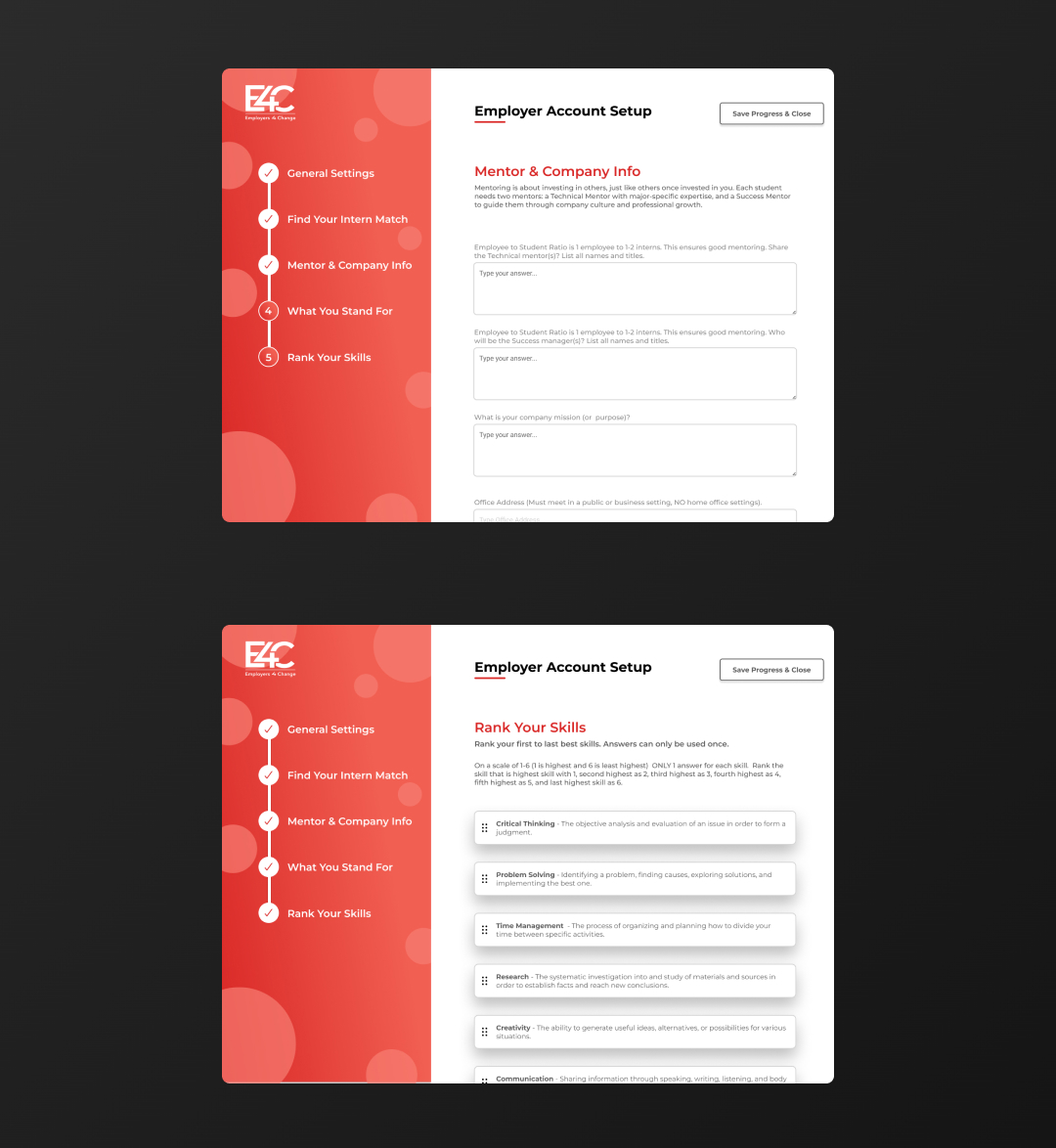
Sign-up Screens
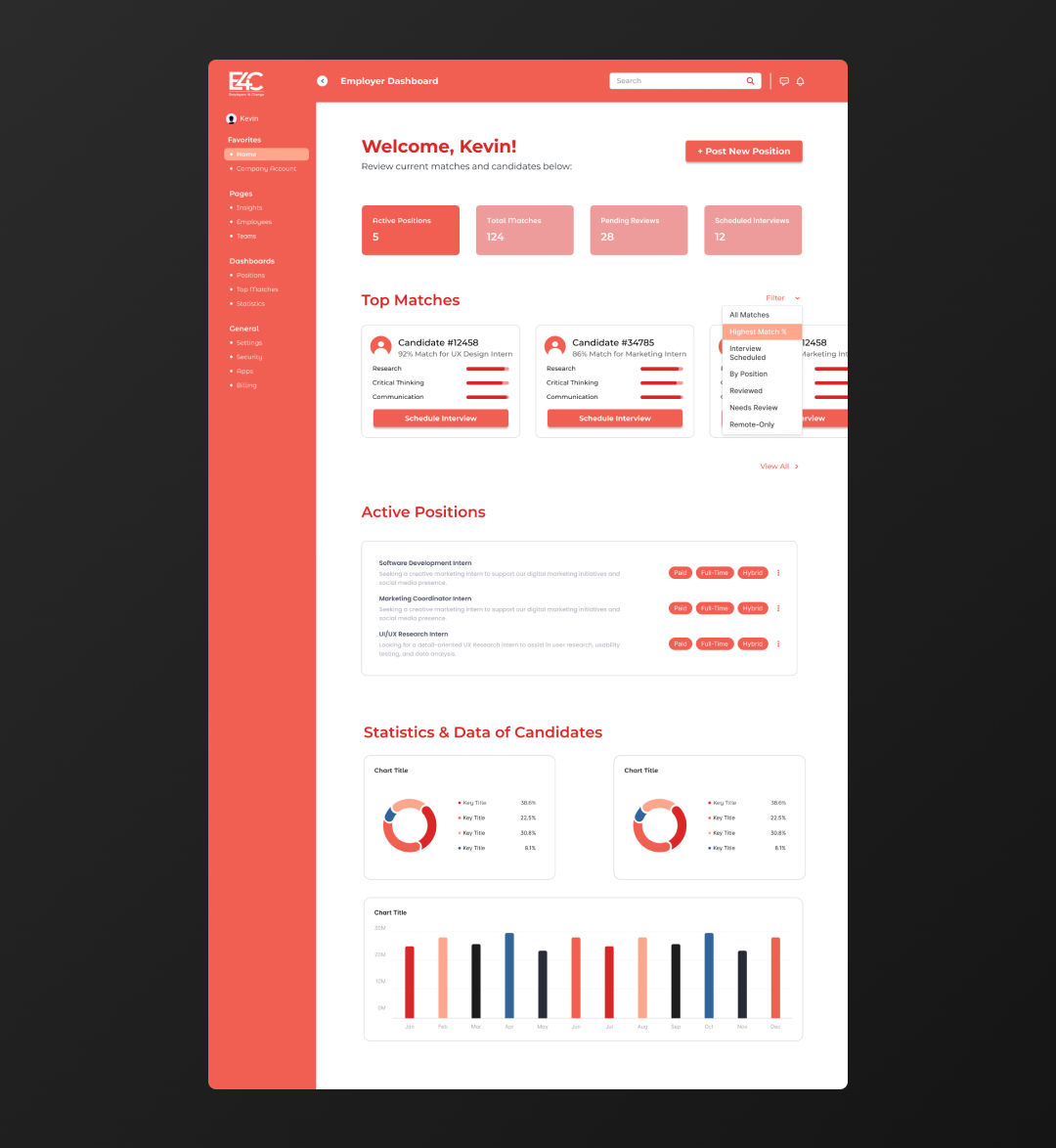
Dashboard
Key Takeaways
Challenges
- Fragmented and disorganized design files that required auditing, consolidating, and restructuring before meaningful iteration could begin.
- Designing for two distinct user groups, each with different goals, technical comfort levels, and onboarding needs.
Key Takeaways
- Designing for multiple user types requires intentional, role-specific flows.
- Early structure and file organization are critical for maintaining momentum and scaling design work.